
Editor Global
Search
The Search Is Over
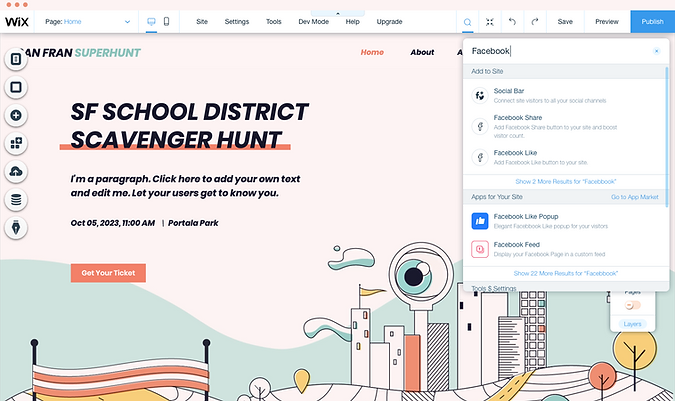
The Problem
Where? How? What?
Again and again users are contacting Wix support asking for things they can not find in the editor. Some of those users are actually asking for a tool to help them locate specific elements. Also, analysing others queries shows that there is a need for better exposure for functionalities in the editor.
 Julia
Julia
Hi, I see there are a lot of elements that we can add on our page. It's great. However, can we search for an element? For example, I'm looking to add a "contact" element. It can be found under the category of contact and strip. Can I just search for "contact" and all the related elements will show up?
Thanks
 Reinke, Brooke
Hello, I am not sure how to get the toolbar to show on my website when I am editing. The only thing that shows is the design tab and the contents in that. Isn't there a tool bar that is supposed to be activated for me to make my own edits and changes?
 Jame
Jame
Hello, Is there a way to search/find an element id value in the editor? I have a button tied to code and need to rename the element-id, but it states that the id is duplicated when I try to rename it. I can't visually find the element by its id value visually on the page. My page has a lot of elements and to manually scroll through each one is very time consuming. If there was a "Find Element ID" function, it would save me so much time and take me directly to which element might have the wrong name ( could be a box, text block etc.). My code is tied to the element-id.
Thanks, Jame
Goal
Make it Easy for the Users
Three main pain points came up from user tickets. These became the project goals:
- Increase discoverability of relevant and similar subjects.
- Easy navigation in the Add Panel and choosing the right elements.
- Expose editor functionalities that users couldn't find on their own.
Results
Strong Engagement from Day One
From the first week after launch, search engagement significantly exceeded expectations. Nearly half of users who opened the search interacted with a result - confirming the tool solved a real need and the result taxonomy was clear enough to act on immediately.
My Role
I led the UX design end-to-end, working closely with a product manager, a team of UX content writers, a UX prototyper, and 3 developers. My ownership covered the full process: competitive research across graphic tools, OS search, and website builders; information architecture for the result taxonomy; lo-fi and hi-fi wireframes across all edge cases; UI design and component spec for the Editor Library; and interaction design for the result types, hover states, keyboard navigation, and quick actions. I also defined the search behaviour spec that guided engineering through development.
Research
What's Common in Market?
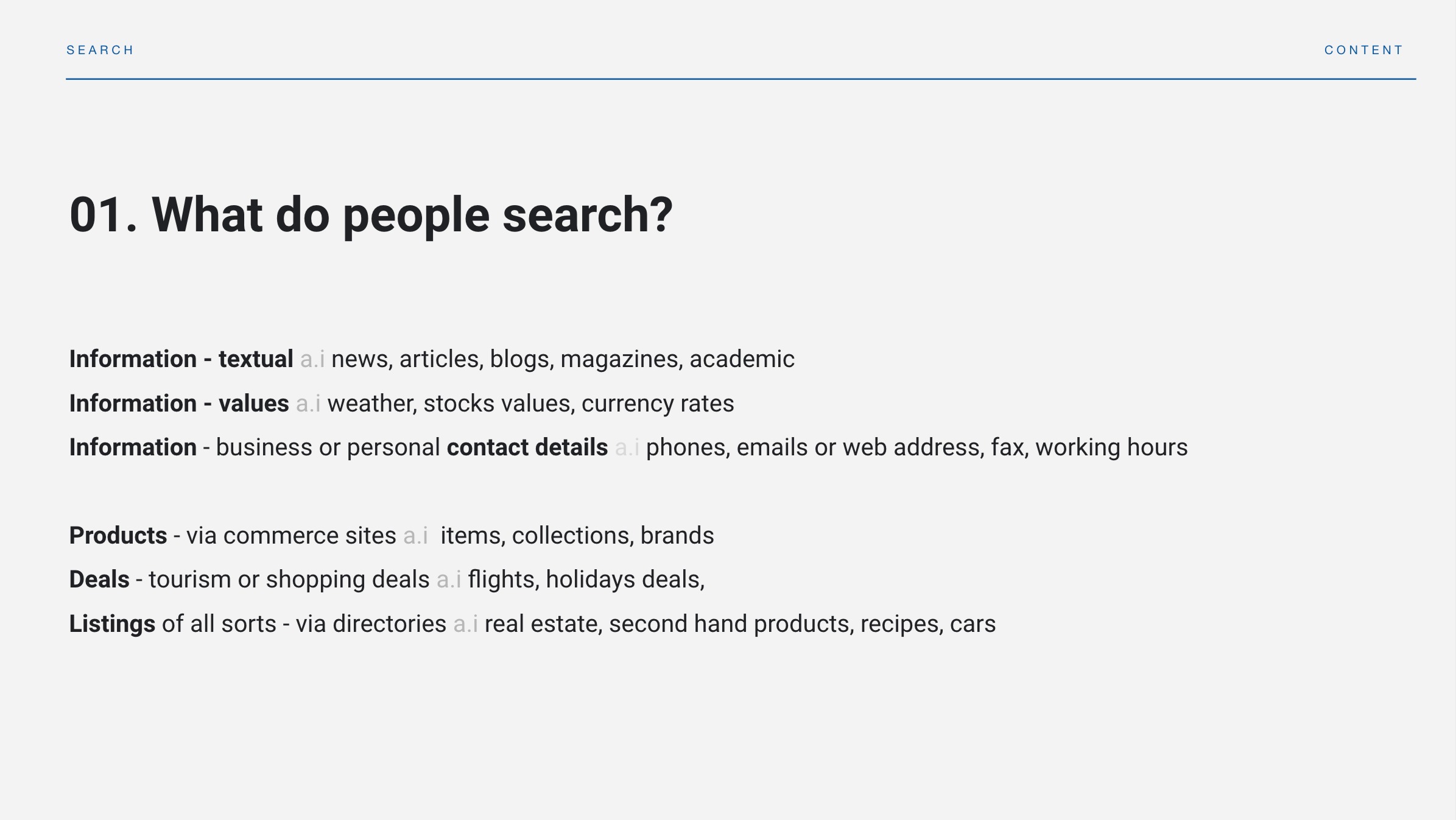
Research focused on search tools in graphic applications, website builders, operating systems and even Spotify. Looking at what is possible to search/find and what is the experience.
From this research I learned about different search intent. Searching for an action (which can become a "shortcut") is different from looking for a file or element that users want to find and use immediately.
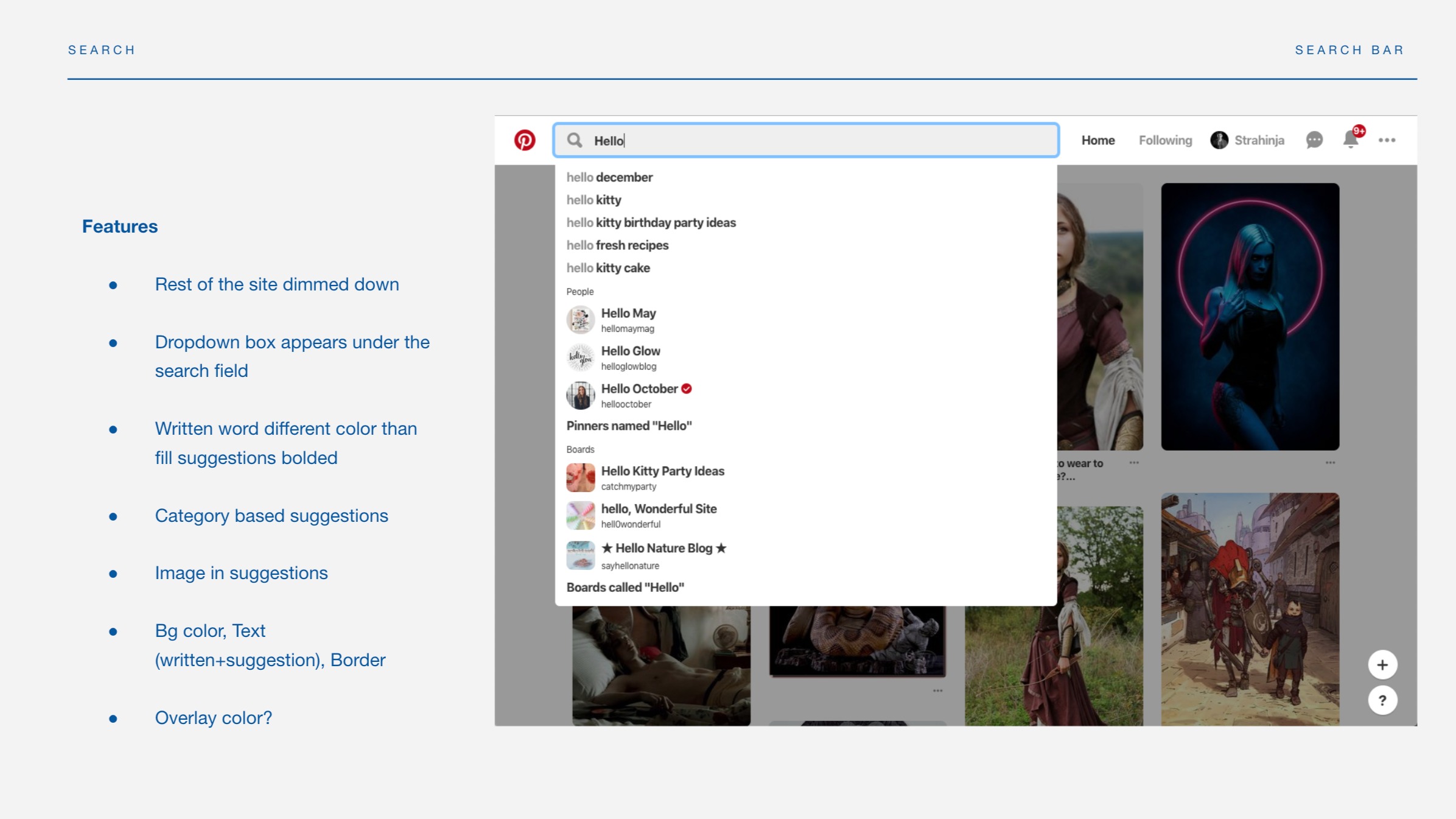
Analysing dozens of website examples looking for common and unique UX/UI patterns. When users are in the middle of a process and looking for something they need right now, speed is everything - results must appear instantly and be immediately actionable.
At the same time it always helps to pay attention to unusual solutions; they can give ideas for different concerns and use cases which are unique to the editor.
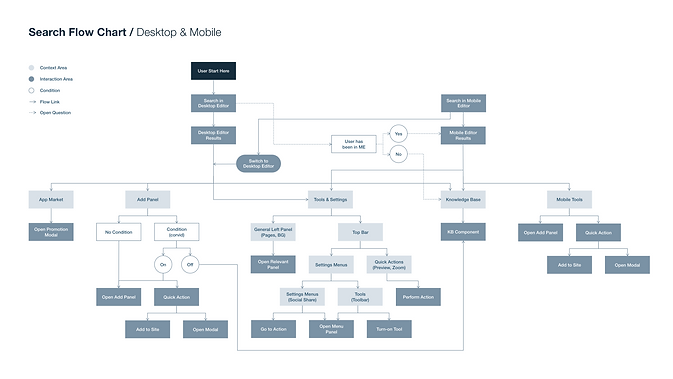
Flow Chart
One Search, Several Different Questions
We wanted the Editor Search to help wix user find result in 5 different places:
- Elements from the Add panel
- Apps from the App Market
- Perform Quick Actions while working with the editor.
- Find different Tools & Settings related to the editor
- Help Articles
- Business Manager (Phase 2)
- Search in user's content (Phase 2)
After analysing the user's request, and determining the product goals, I like to create a flowchart mapping of possible user's intents. It helps me to understand the complexity of the product, and create the right structure.
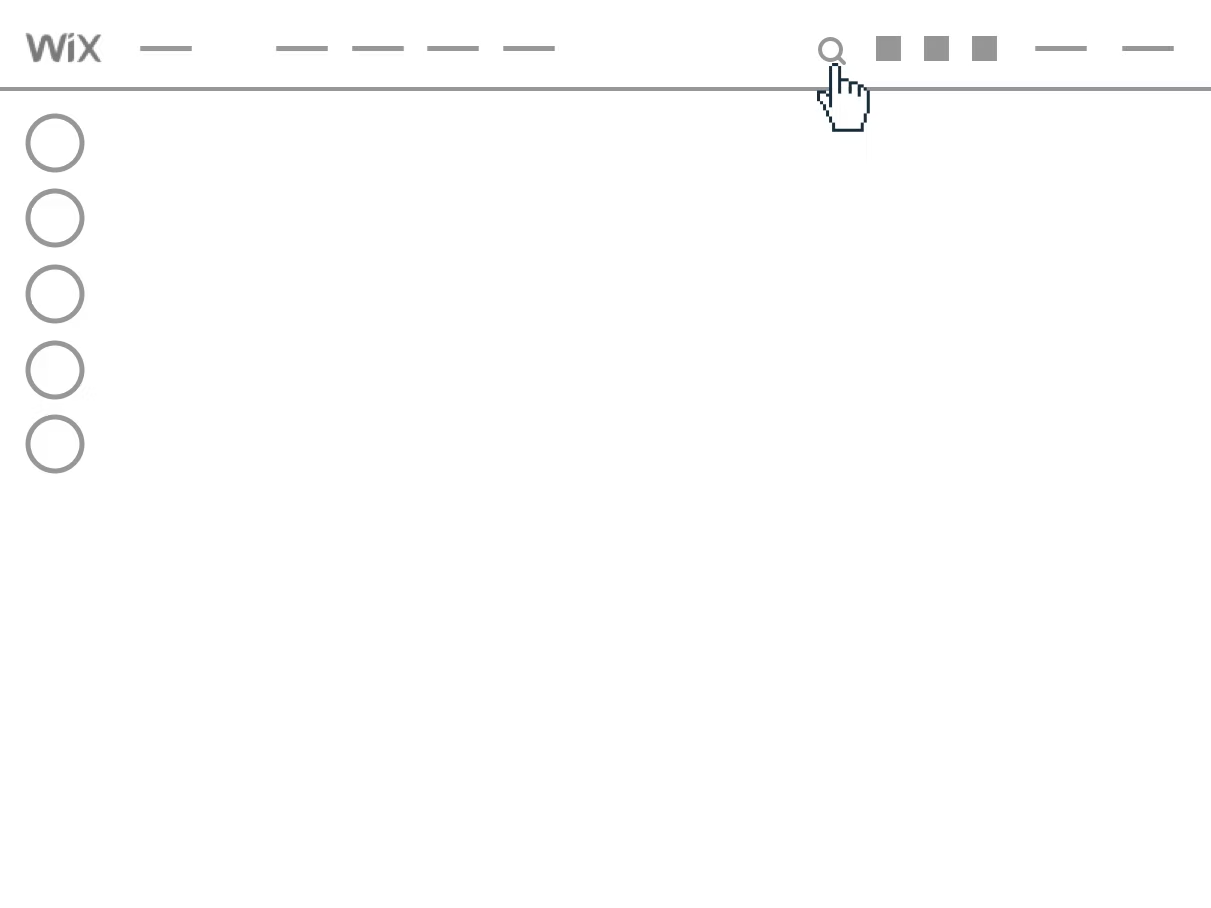
Low Fidelity Wireframes
Quick Access & Fast Exposure
In order to define the main scope and use cases that answer all product goals, I created a mockup flow presenting the general UX concept, including main functionality and real use cases as possible.
High Fidelity Wireframe
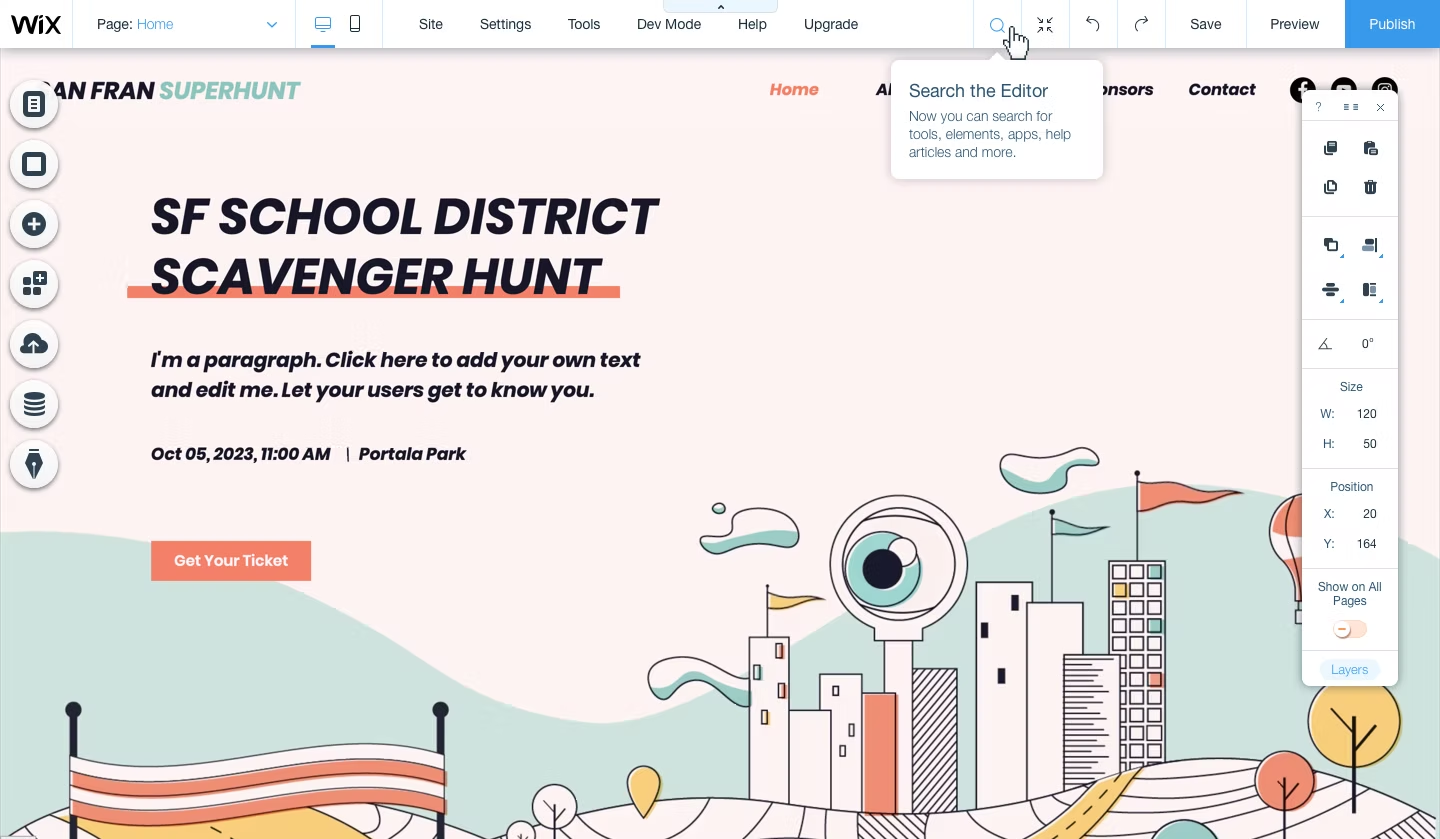
Searching is Not That Obvious...
Display full product flow, with all edge cases and complexity. The editor search is a new tool in the editor that requires some new UI elements, that is why I was insisting on creating it fully designed.
Design & Experience
Simple Experience, Detailed Design
Creating UI design that would help Editor's users search, side by side and without interrupting, during the workflow of building their website. In order the design would answer those challenges, I had to create new UI element to the Editor Library together with new patterns
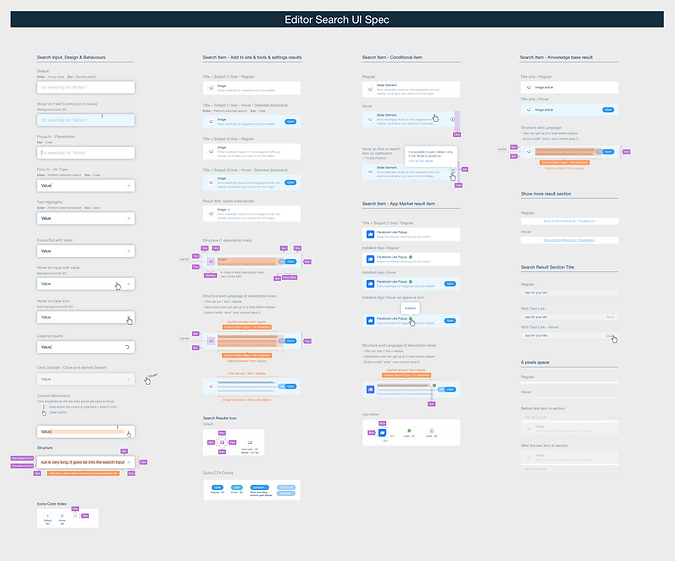
Since the search tool is a unique feature in the editor, I had to find a new UI pattern, following the visual language and guideline of the Wix Editor. I had to prepare those new UI Elements for developments, including full icons index, assets for Dev and accompany development.
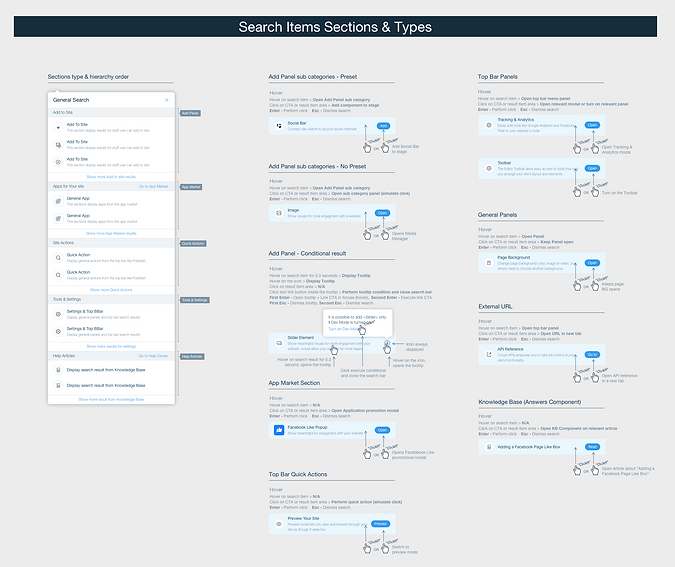
Another important delivery for dev is to create detailed and clear spec, explaining how users should interact with different features of the search, and cover all edge cases.
Behaviours & Interactions
Make it Feel Like a Shortcut
It's pretty obvious that any search tool should answer the goal of helping users find stuff. But what does it mean? After going after support tickets, we understood that wix's editor users are looking for answer for two main things:
- Discoverability - Users want to find and learn where things are located in the editor without digging through menus.
- Shortcut - Users want the fastest way to add a button, open specific settings, or find a feature they've heard about but can't locate.
Keeping this in mind I had to define the best experience and intuitive behaviours that would answer those 2 challenges.
Together with a talented UX prototyper, we raised a lot of different ideas, testing interactions in 5 different prototypes, trying to achieve the best discoverability and fastest engagement.
What's Next
Search as a Strategic Surface
Search is not just navigation - it's a signal. Every query tells you what users are trying to do, what they can't find, and where the product has gaps. The next phase focused on expanding search into user content and the Wix Business Manager, where users manage the operational side of their website business.
Reflection
What I Would Do Differently
The two-intent model - discoverability versus shortcut - was the right frame for the initial design, and the 48% interaction rate suggests it landed well. But in retrospect, I underestimated how much the result taxonomy would matter over time. As more result types were added (apps, help articles, quick actions), the visual hierarchy between them became harder to maintain. I would have pushed harder upfront for a more modular, extensible design for the results panel rather than optimising for the launch scope.
I'd also have instrumented more granular tracking from day one - knowing which result types users clicked versus which ones they skipped would have given us much sharper signal for what to prioritise in the next phase.